I turn still images into dimensional paper worlds. Here’s how I create the master image, rebuild its layers and prompt the camera to move through them.
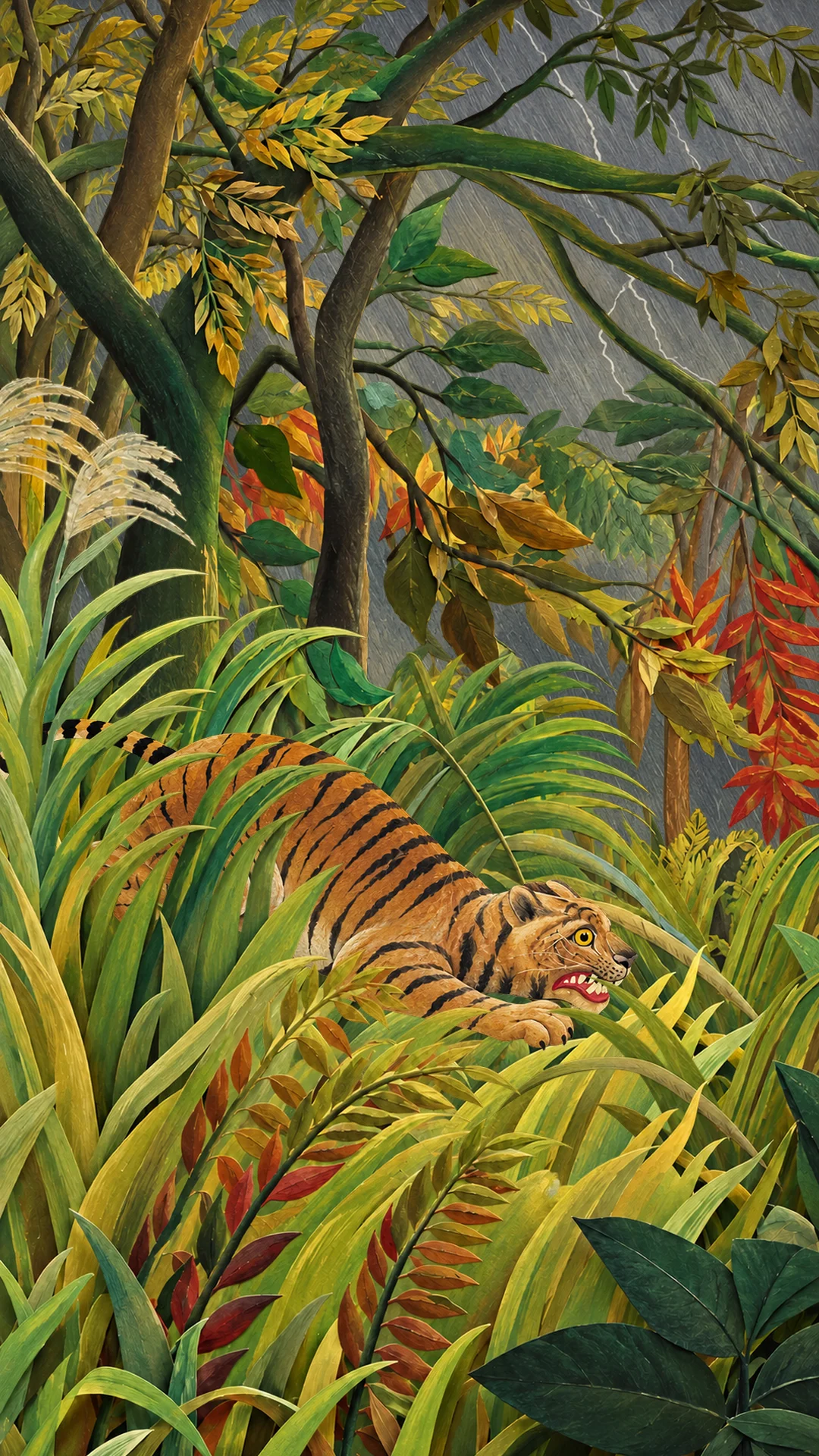
Play the film. Sound is available in the player. An AI paper interpretation of Henri Rousseau’s Surprised! (1891), National Gallery, London.
01 / Create the master image
Design the world first.
Resolve the composition, lighting and depth before asking anything to move. Keep this image beside every later step as the placement reference.
Read the master-image starting prompt
Reimagine the supplied jungle painting as a tactile miniature paper theatre in a portrait composition. Preserve the crouching tiger, its visible eye and muzzle, the arching canopy and the dense grasses. Give sky, rear trees, middle grass, tiger and foreground foliage clearly separated depths, with matte painted fibres, cut edges and soft cast shadows.
02 / Build the layers
Give each plane a job.
Five planes: sky → rear trees → middle grass → tiger → foreground foliage. Keep complete silhouettes, including the tiger’s paws, tail and whiskers. Transparent margins are empty space; place the visible shapes using the master composition.
1 / 5 — SkyHow to make a usable cutout
Ask your image tool to recreate one complete object from the master on a transparent background, retaining its material, light and proportions. Include the parts hidden behind neighbouring objects. Inspect the exported alpha, clean any halos and keep natural edges complete. Generate the sky as an opaque backing. These are reconstructed assets, so compare them with the master before animating.
03 / Prompt the movement
Assemble. Settle. Explore.
Name each reference by its actual input order. Describe depth separately from entrance order, then give the camera one readable path through the scene.
Read the motion starting prompt
Use the supplied layers and assembled composition. Build one paper jungle from back to front. Bring the trees and tiger from one side, and the middle grass and foreground from the other. Each enters at its final scene scale with a restrained settling bounce. Hold the complete composition before beginning one smooth physical camera move through an existing gap in the grasses toward the tiger’s muzzle and visible eye. Keep the tiger still and preserve its anatomy. Let foreground parallax reveal depth. Choose your own pace and destination; avoid morphing, extra plants and cuts.
Adapt the prompts to your own route and tool. A request for movement is a starting point; inspect the rendered result for changed shapes, scale and continuity.
From the sun above the hills to the stones beneath your feet.
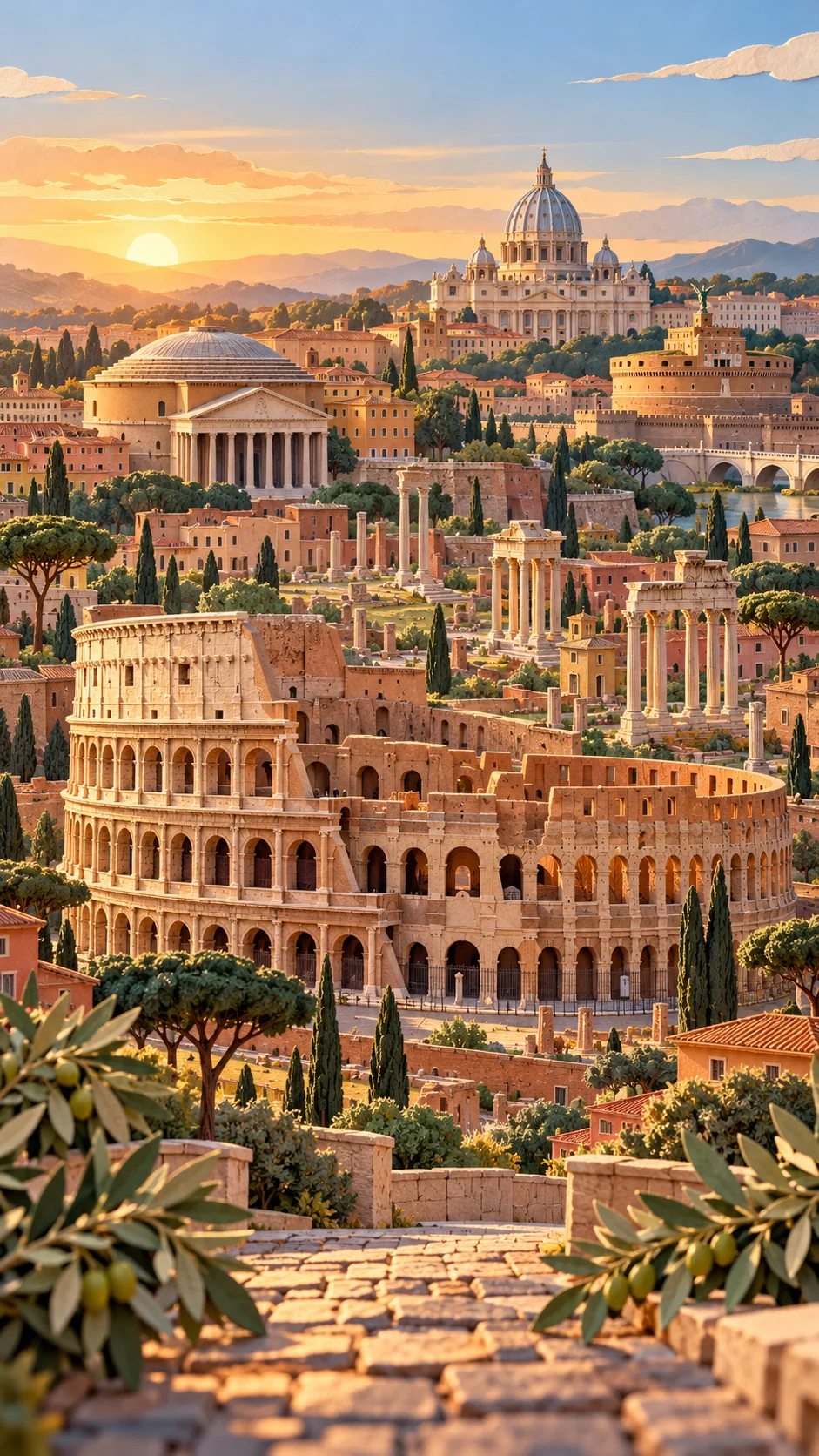
Play the film. Sound is available in the player. An AI-created landmark montage, arranged for the composition rather than exact city geography.
01 / Create the master image
Design the world first.
Resolve the composition, lighting and depth before asking anything to move. Keep this image beside every later step as the placement reference.
Read the master-image starting prompt
Create a warm, tactile paper miniature of Rome in a portrait composition. Make the Colosseum the central subject, with its open interior visible. Arrange the Forum, Pantheon, Castel Sant’Angelo and distant St Peter’s in readable depth bands. Place a low sun over hills behind the city and olive trees around a cobbled foreground terrace. Use cut paper, sunlit edges and soft shadows. Leave a clear camera passage between the near trees.
02 / Build the layers
Give each plane a job.
Seven planes: sky and hills → St Peter’s skyline → Pantheon and Castel → Forum → Colosseum → framing trees → stone terrace. The assembled master is an additional composition reference, never another physical layer.
1 / 7 — Sky, sun & hillsHow to make a usable cutout
Ask your image tool to recreate one complete object from the master on a transparent background, retaining its material, light and proportions. Include the parts hidden behind neighbouring objects. Inspect the exported alpha, clean any halos and keep natural edges complete. Generate the sky as an opaque backing. These are reconstructed assets, so compare them with the master before animating.
03 / Prompt the movement
Assemble. Settle. Explore.
Name each reference by its actual input order. Describe depth separately from entrance order, then give the camera one readable path through the scene.
Read the motion starting prompt
Use the supplied seven layers and master composition. Begin close on the sun over the distant hills and travel continuously backwards through one dimensional paper city. Reveal the skyline layers with alternating lateral entrances, already at their intended scene scale. Keep the Colosseum, foreground trees and terrace anchored. Retreat above the amphitheatre’s near rim to reveal its interior, then pass through the clear opening between the trees and descend toward the foreground cobbles. Settle into the master composition. Preserve architecture, warm light and paper materials. Choose your own duration and spacing; avoid growing buildings, dissolves and cuts.
Adapt the prompts to your own route and tool. A request for movement is a starting point; inspect the rendered result for changed shapes, scale and continuity.
Move through the space. Let the image stay itself.
Set the visible shapes to their final scene scale before they enter. Leave room for them to settle. Then move the camera between the planes, using nearby edges to reveal depth. Review faces, silhouettes and architecture frame by frame.
This page will grow as I add new worlds, films and breakdowns. Each study starts with the same three steps.
Make a world of your own
Start with the layers.
The current starter pack includes both master images, five tiger layers, seven Rome layers, adaptable image and motion prompts, and a practical workflow guide. Keep the PNG cutouts editable and make the movement your own.
Free ZIP download · Tiger + Rome · No finished films included
Your email & this series
Mike Staniforth Film Ltd records your signup in Firestore and Google Sheets and manages the requested emails through MailerLite. Your signup joins the Layers group and may enter the existing welcome and interests-survey sequence if you are eligible. Returning subscribers do not necessarily receive the survey again. Unsubscribe using any email. For access or removal requests, email mike@mikestaniforth.com. Company no. 10636076.
These are AI-created paper interpretations. The downloadable prompts are creative starting points, with room for your own imagery, timing and camera choices.