Begin with positioning, not a logo prompt
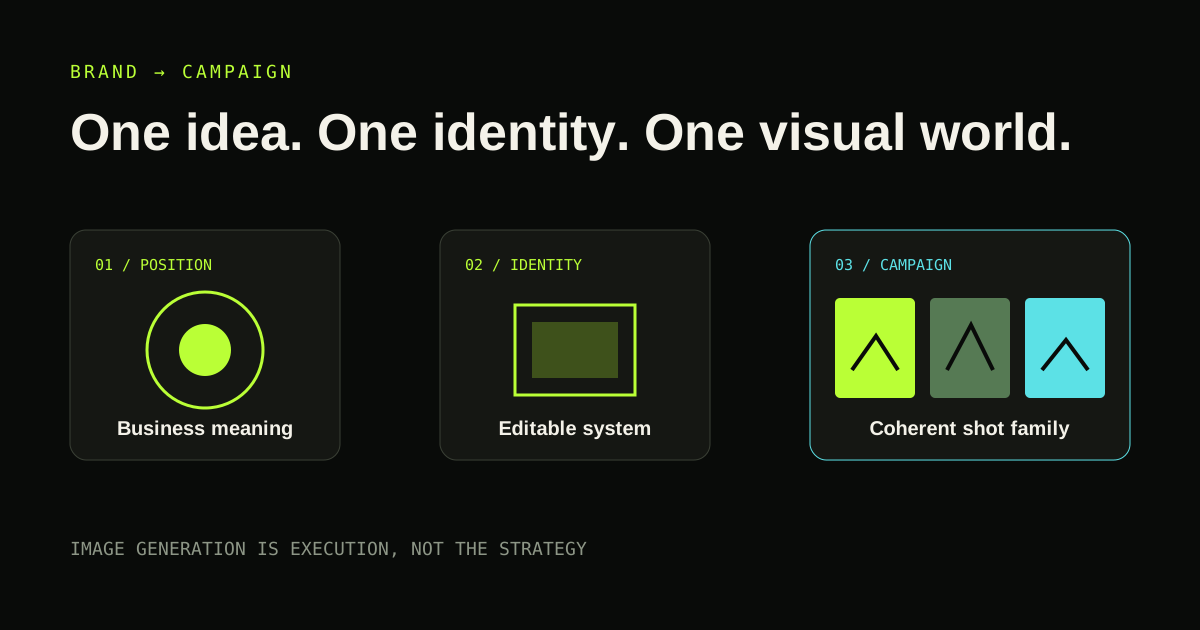
Define who the brand is for, the problem it addresses, the promise it can defend and the qualities it should embody. Collect references for specific reasons—editorial restraint, colour behaviour, typography or image treatment—not because they look fashionable.
Ask the agent to identify conflicts. A premium cinematic identity and a bargain convenience offer may pull in different directions. Resolve the business meaning before refining marks.
Build an editable identity system
A useful identity includes wordmark and symbol variants, colour tokens, typography, spacing logic, usage guidance and formats that can be edited. SVG is valuable for identity assets because it remains scalable and inspectable.
Test the mark at small sizes, in one colour, on light and dark backgrounds and beside real copy. A dramatic presentation mock-up can conceal an identity that fails in navigation or a social avatar.
Translate strategy into campaign direction
Choose one campaign thought that demonstrates the offer or emotional change. Define the visual world: subject, environment, light, palette, texture, lens intent, composition, movement and continuity. Then design a shot family rather than unrelated hero images.
Each shot should have a role—awareness, product understanding, proof, retargeting or social variation. Consistency comes from shared rules and controlled variation.
Write prompts as production briefs
A strong image prompt describes relationships: where the camera is, how the subject occupies space, where light originates, what remains sharp, what moves and why the frame belongs to the campaign. Camera vocabulary should guide intent rather than pretend the generator reproduces physical optics exactly.
Record the generator, model, reference assets, prompt version and selected output. Check likeness, intellectual-property, disclosure and usage constraints before commercial release.
Keep human approval around taste and claims
AI can accelerate options, consistency checks and production formatting. The founder still owns the position, the promise and the final taste decision. Review the system in context: website header, mobile screen, advertisement and campaign sequence.
Founder Launch OS connects its brand workflow to a CineRender-enhanced campaign prompt pack so the visual direction inherits the same approved business context. Core V1 produces direction and prompts; it does not claim to be the image generator.
Build
Need a repeatable AI production workflow?
Mike designs the tools, review loops, and publishing systems that make it usable.
Keep reading