A camera move is a relationship, not a direction
'Tracking shot' is not enough information to stage a shot. The camera may lead a performer, trail behind, travel beside them, cross their path or curve around them. It can hold a fixed distance, let the subject approach, or allow the subject to escape the frame. Those choices change power, anticipation, geography and pace even when every version could be described as tracking.
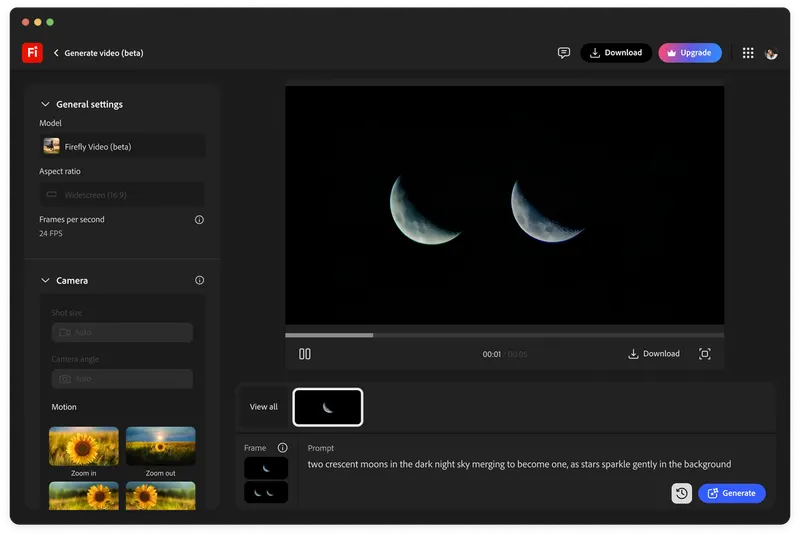
Text prompts are useful for declaring the broad intention. Google DeepMind's Veo guide separates framing and camera motion from action, lighting, location and character description, while Adobe offers named presets such as pan, tilt, zoom, static and handheld. The vocabulary helps a model choose a family of movement. It does not specify the exact acceleration, arc, operator correction or parallax that makes one take feel observed and another feel mechanical.
A motion reference moves the decision closer to cinematography. Instead of asking a model to imagine 'a slow handheld orbit', the operator performs that orbit around a stand-in and supplies the temporal path. The useful control is not the beauty of the reference clip. It is the changing relationship between camera, subject and background over time.
Perform the move before you generate it
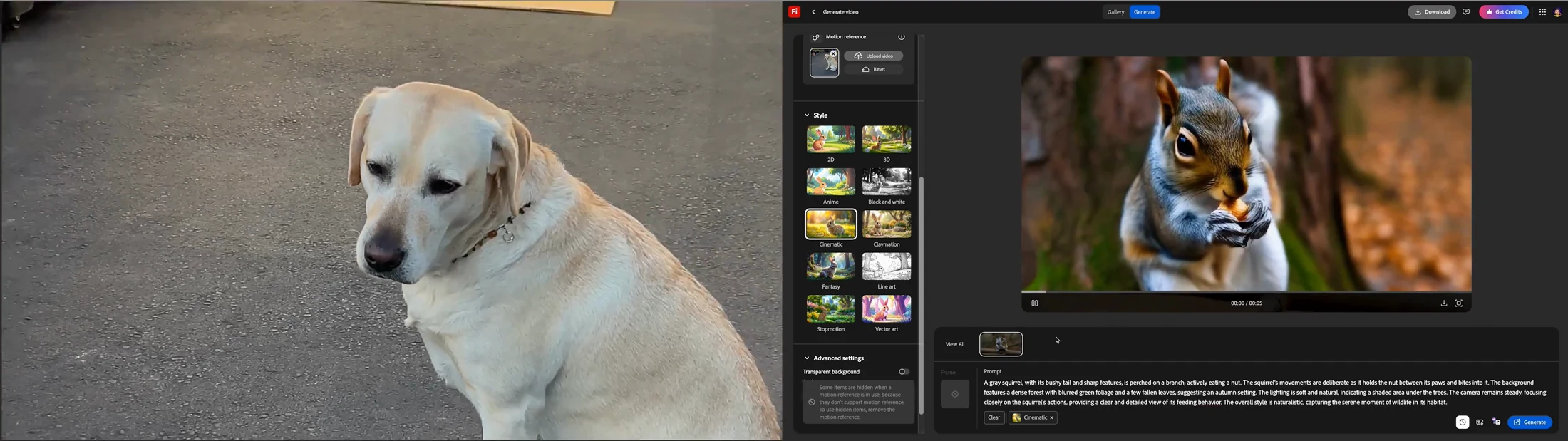
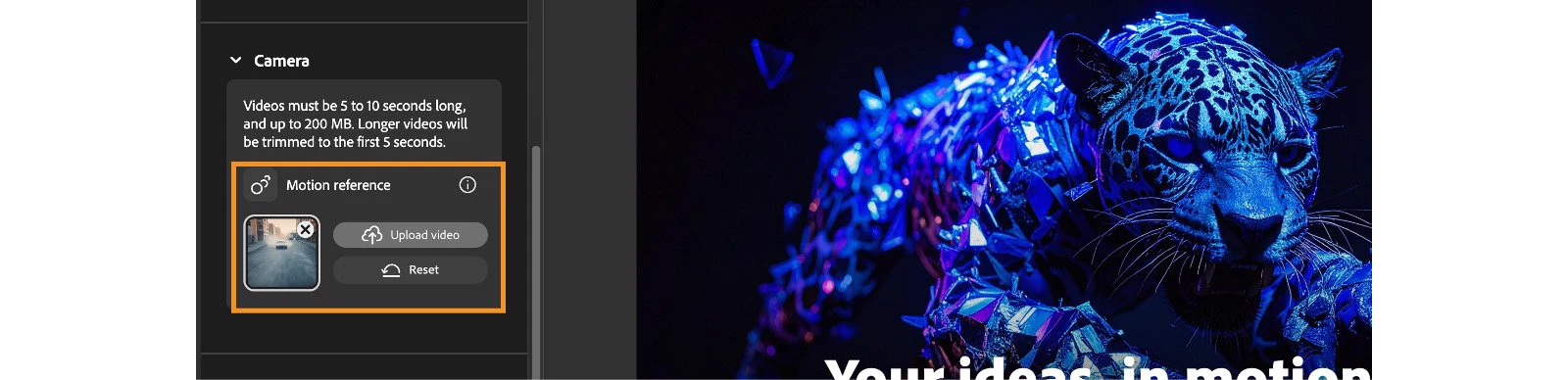
Adobe's current Firefly workflow accepts a reference video and extracts pans, zooms, tilts and the motion path to guide a new generation. Its official tutorial demonstrates the principle with an ordinary phone clip: Kelsey Brannan circles a dog by hand, then applies that circular movement to a generated squirrel. Adobe says the subject in the reference is not transferred; the motion is.
That separation is useful because a cinematographer can rehearse camera behaviour without building the final world. A chair can stand in for a product, a crew member can mark a creature's route and a doorway can define the centre of an orbit. The move can be found at human scale, where balance, reach, floor obstacles and the operator's response to performance are visible, before generation credits are spent.
Treat the reference as a camera rehearsal, not a disposable gesture. Set the intended aspect ratio. Mark the start and finish. Choose the subject height, lens position and distance deliberately. Count the beat or play the scene audio. If the operator does not know what the camera is responding to, the model receives motion without dramatic cause.

Write a motion-reference shot card
Record eight fields beside every reference: subject mark, camera start, camera finish, path, duration, pace change, composition rule and protected landmarks. A usable card might read: performer walks left to right on the kerb; camera begins one metre ahead at chest height; trails into a lateral profile over five seconds; accelerates on the head turn; keep eyes on the upper-third line; preserve the kerb, doorway and screen direction.
Add the reference clip ID and the generation settings. Adobe's current help page specifies a five-to-ten-second reference under 200 MB and Firefly Video as the selected model. Product constraints change, so capture the model, date, aspect ratio, resolution, prompt, seed where available and accepted take. The record should make a successful move reproducible even after an interface changes.
Do not overload the motion clip with every creative variable. The reference controls movement; the prompt still has to define the final subject, action, environment, light and texture. Adobe's tutorial notes that its demonstrated workflow cannot combine a frame reference with the uploaded motion reference, so the prompt carries more of the appearance burden there. Test the actual control combination in the model version being used rather than assuming all references can be stacked.
Design parallax the model can read
Movement becomes legible through changing spatial relationships. An orbit needs foreground and background landmarks that slide at different rates. A push-in needs a measurable change in subject scale and edge relationships. A lateral track needs depth layers that reveal or occlude one another. A blank wall behind a centred stand-in may record smooth motion, but it gives both the operator and reviewer little evidence of the path.
Choose a stand-in that approximates the final subject's height and volume. Keep some negative space in the direction the camera travels. Include verticals, corners, floor lines or practical objects that make perspective change visible. For handheld work, decide whether the reference's roll, footfall and corrective reframing are character or noise. A model may imitate both.
Avoid using optical zoom as a substitute for physical travel unless that is the shot. A zoom changes framing without the same parallax as a dolly. Likewise, a pan rotates the view from a fixed position while a truck changes position through space. Motion references can preserve subtle combinations, but the source still needs a coherent dominant action. If the path cannot be explained on a small overhead diagram, simplify it before generating.
Judge preservation, not resemblance
The Firefly squirrel result feels related to the dog reference because the view progresses around the subject. That is only the first review question. The generated squirrel changes screen size, body orientation and background relationship differently from the dog. Some difference is expected because the subject and environment have changed. The task is to decide which differences preserve the shot's intention and which replace it.
Review beginning, quarter, midpoint, three-quarter and ending frames. Plot subject centre, eye line, headroom, horizon, camera height cues and two background landmarks. Then watch at speed for acceleration, hesitation and corrective sway. A clip can match the first and last composition while taking an implausible path between them. It can also mimic the path while the subject deforms or slides against the ground.
Check occlusion events closely. Foreground objects should pass the subject in the correct order; background edges should not attach themselves to hair, limbs or products; new surfaces should be revealed consistently as the camera travels. These failures are often easiest to see when the clip is scrubbed without sound and overlaid against a simple path sketch.

Choose between motion transfer and video transformation
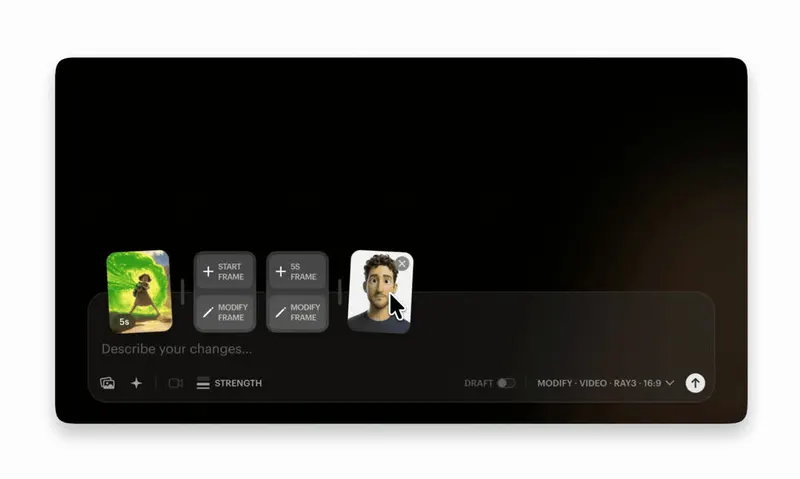
Motion reference and video-to-video modification solve related but different problems. Firefly's demonstrated motion-reference workflow extracts camera movement from one clip while generating a different subject and world. Luma's Modify workflows begin from footage and aim to retain its original motion and camera dynamics while changing appearance. The first is useful when the camera path matters but the source performance does not need to survive exactly; the second starts with more of the photographed timing already present.
Preservation is not absolute. Luma's current Ray3 Modify guide states that stronger Reimagine settings can reduce camera-motion preservation and may infer zooms or shifts from the subject's pose. That is a practical trade-off: the more freedom a model receives to redesign shape, background and style, the less confidently production can assume that camera evidence remains untouched.
Choose the control mode around the hardest thing to recreate. If a specific performance, stunt, interaction or operator response drives the shot, start with footage and transform cautiously. If the final subject is impossible to photograph but its camera relationship can be rehearsed, use a motion reference. If neither workflow preserves the required geometry, build the move in previs or 3D and treat generation as a rendering layer rather than the source of camera logic.
Put the move back into the sequence
A technically successful orbit can still damage the edit. Place the generated shot between its intended neighbours and check where screen momentum enters and leaves. A preceding move to the right followed by a generated orbit that begins with a leftward correction may create an unintended collision. A beautiful tracking shot may also arrive too late to follow the performance beat that motivated it.
Review at delivery crop as well as generation aspect ratio. Vertical, square and widescreen versions change headroom, lead room and the moment a landmark enters frame. Do not assume a motion reference made for 16:9 will survive a centre crop. Either design a protected composition from the start or record separate references for materially different formats.
Log the accepted result against the source reference and its intended edit position. Check the last frame of the incoming shot, five temporal samples of the move and the first frame of the outgoing shot. That small strip turns movement continuity into something a director, editor, VFX artist and client can discuss without relying on 'cinematic' or 'smooth' as approval language.
Buy the preserved camera decision
The buyer implication comes after the craft test. Ask a supplier to perform three short moves from the real brief: a lateral track that protects screen direction, an orbit with clear parallax and a push or retreat triggered by performance. Supply the shot cards, landmarks and edit context before generation. Do not score a showreel assembled from unrelated successful clips.
Measure accepted attempts against total attempts, camera-path fidelity, subject stability, landmark continuity, occlusion errors, edit compatibility and repair time. Keep the source reference and the accepted generation together. A model that produces the most spectacular first result may be less valuable than one that preserves a modest five-second move across several deliverables.
Motion reference does not remove the cinematographer from AI video. It makes cinematography more explicit. Someone still has to decide why the camera moves, perform the relationship, recognise when the path has changed and know whether that change improves the scene. The tool earns its place when it carries that decision into an otherwise impossible image—not when motion alone is mistaken for direction.
Build
Make camera intention survive the model
I help creative teams translate shot design into references, prompts, shot logs and review gates that make AI video directable and finishable.
Launching a business of your own? Founder Launch OS connects the brand, offer, website and visual campaign in one guided Codex or Claude Code workspace.
Keep reading