Answer first: creative AI is moving from tool access to operating authority
Four developments this week point to the same buyer decision. A team can now expose a repeatable creative workflow as an API, move between conversational instructions and precise manual edits, connect an agent to business systems, and develop an AI-led proof of concept into a financed feature. The valuable output is no longer only the generated file. It is a controlled path from approved input to usable deliverable.
For a brand, agency, studio or founder commissioning this work, ask the supplier to demonstrate one complete handoff. Which brief and source assets were used? Which system and model version acted? What could run automatically? Who approved the consequential steps? Which evidence remains after export? Can another team or vendor continue the project? That is the Friday buyer-intent theme behind this issue: owned deliverables, approval gates, commercial safety and production handover—not a news angle reverse-engineered from weak search data.
Signal 1 — September 26–27: A reusable creative pipeline becomes an API
ElevenLabs made image generation, video generation and templates built in ElevenCreative Flows available through its API. A team can assemble a template once, then pass new product inputs into the same structure from a product-information system, asset library or storefront. The template can preserve composition, prompts, brand references, voice, music and output formats; webhooks support production pipelines. The company says model access spans providers including Google, OpenAI, ByteDance and Creatify at the same pricing as its app.
Why it matters: the unit being bought is shifting from an individual generation to an executable production recipe. That can make localisation and catalogue-scale work more consistent, but it can also multiply a bad claim, unlicensed reference, obsolete price or broken crop across hundreds of assets before a human notices. A template approval is not permanent approval for every input and output.
What to do: give every template an owner, version, permitted input schema, approved model list, rights rules, output specification, cost ceiling, review sample and rollback path. Block runs when product facts, consent or territory data are missing. Store the template version and model response beside every asset ID. Use the AI production workflow stack to define the handoffs, then rehearse the AI video model exit plan before the endpoint becomes business-critical.
Signal 2 — September 29: Conversational editing gains a precision layer
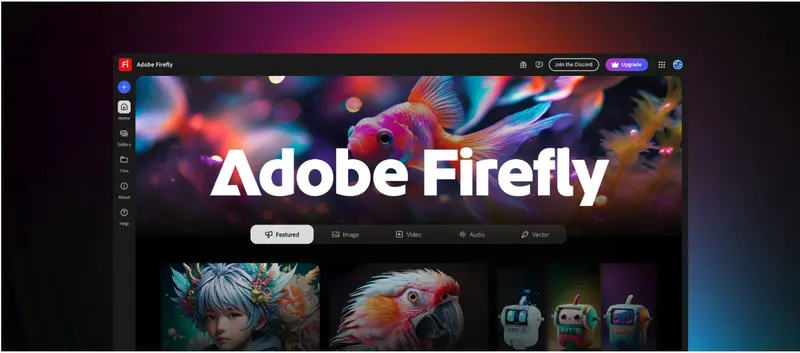
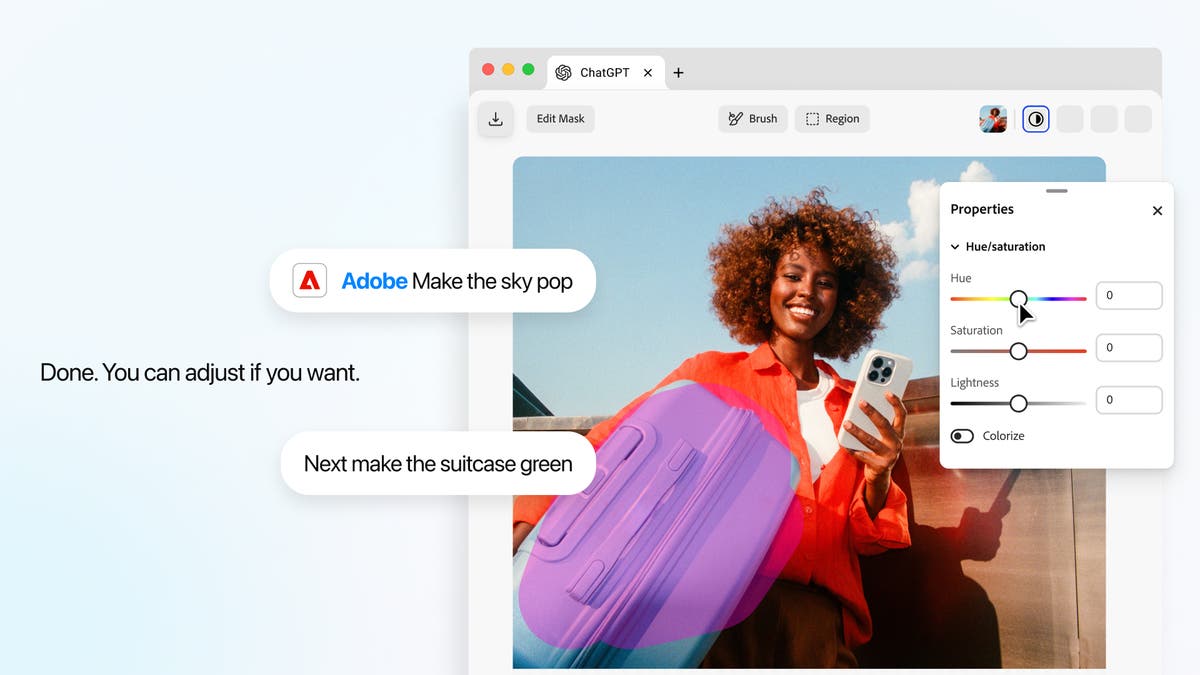
Adobe introduced interactive image, design and PDF editing controls inside its ChatGPT plugin. A user can select an object or brush over a region, request a targeted change, then fine-tune controls such as hue, saturation, brightness and contrast without leaving the conversation. Adobe says edits remain in context as the user moves between the editor and chat; selected PDF text can likewise become context for the next instruction. The update began rolling out globally on ChatGPT web and app.
Why it matters: the move from a broad prompt to a bounded selection is a meaningful control improvement. It makes a client or operator more capable of specifying what may change and what must remain locked. But conversational continuity can obscure authorship and version state: a visually precise result still needs a record of the source, selected region, instruction, manual adjustment and approved export.
What to do: define the permitted delta before the edit. Lock logos, pack geometry, legal copy, faces and product claims unless a named reviewer opens them. Export numbered candidates rather than overwriting the master, and retain the source hash, selection or mask, instruction, tool session, adjustment values and approval. Run the final file through the AI provenance review workflow, including after resize and compression.
Signal 3 — September 29: Approval becomes a stated agent boundary
Meta announced Muse for Small Business with connectors for services including Asana, Box, Canva, Dropbox, Figma, Intuit QuickBooks, Klaviyo, Notion, Shopify, Slack, Stripe and Meta business accounts. The product is positioned to analyse sales and campaigns, draft content, surface work and pursue goals across connected systems. Meta also states a consequential control in unusually plain language: nothing publishes, sends or spends without the user's approval.
Why it matters: connecting commercial context makes an agent more useful and more capable of crossing boundaries between research, creative, customer communication and money. A visible approval gate is therefore part of the product architecture, not an optional governance memo. What the announcement does not establish is how granular approvals are, how long they persist, what evidence can be exported or how a team separates drafting authority from publishing and spending authority.
What to do: test the boundary before connecting a live account. Create separate roles for reading, drafting, publishing and spending; set channel and budget limits; require a fresh approval when the destination, audience, claim, attachment or amount changes; and export an action log with requester, source context, proposed action, approver, timestamp and result. The AI advertising disclosure gate should cover the agent's content and the final media placement as one approval object.
Signal 4 — September 26–28: An AI film concept receives feature-scale production finance
XPRIZE announced, and Google followed with its production perspective, that independent filmmaker Jeff Synthesized won the Future Vision XPRIZE with The Gifted, selected from more than 2,500 entries. XPRIZE describes the package as $100,000 cash for screenplay development plus a $2.5 million equity investment toward feature production, supported by Range Media Partners and Google's 100 ZEROS initiative. The story follows a boy who recreates his late mother's voice and essence, making identity, voice and consent part of the film's subject as well as its production context.
Why it matters: this is a production-economics signal rather than another model launch. AI-assisted development can help one filmmaker reach a financing decision, but feature production immediately introduces a larger rights, labour, continuity, editorial and delivery system. The award validates a concept strongly enough to fund development and production; it does not by itself disclose the final workflow, budget allocation, performer arrangements, training inputs or audience outcome.
What to do: treat the winning proof of concept as development evidence, then rebuild it as a feature production package. Separate story rights from model access; document every voice and likeness permission; create character and world continuity bibles; define union, legal and disclosure review; budget human editorial, VFX and sound finishing; and preserve a vendor-neutral handover. The updated Tilly Norwood buyer checklist is the practical commissioning framework for synthetic performance work at this scale.
One operating move for the week: issue a workflow passport
Choose one connected creative workflow and give it a one-page passport before the next live run. Record its owner, business purpose, approved inputs, models and connectors, template or instruction version, rights basis, actions it may take, actions requiring approval, cost and spend limits, output formats, evidence retained, rollback route and handover package.
Then test the passport with one failure from each stage. Remove a licence, alter a product fact, change the model, reject an edit, exceed the budget and revoke a connector. The system should stop visibly, preserve the attempted action and identify the human who decides what happens next. The useful question is no longer whether an AI tool can produce a convincing asset. It is whether the organisation can control, explain and continue the workflow when the happy path ends.
Build
Need a repeatable AI production workflow?
Mike designs the tools, review loops, and publishing systems that make it usable.
Launching a business of your own? Founder Launch OS connects the brand, offer, website and visual campaign in one guided Codex or Claude Code workspace.
Keep reading